 TideTone
 · iPhone & iPad
Handpan Notation App for iPhone & iPad
Handpan notation in TideTone connects the sound you hear with a score you can read, revise, and take into practice.
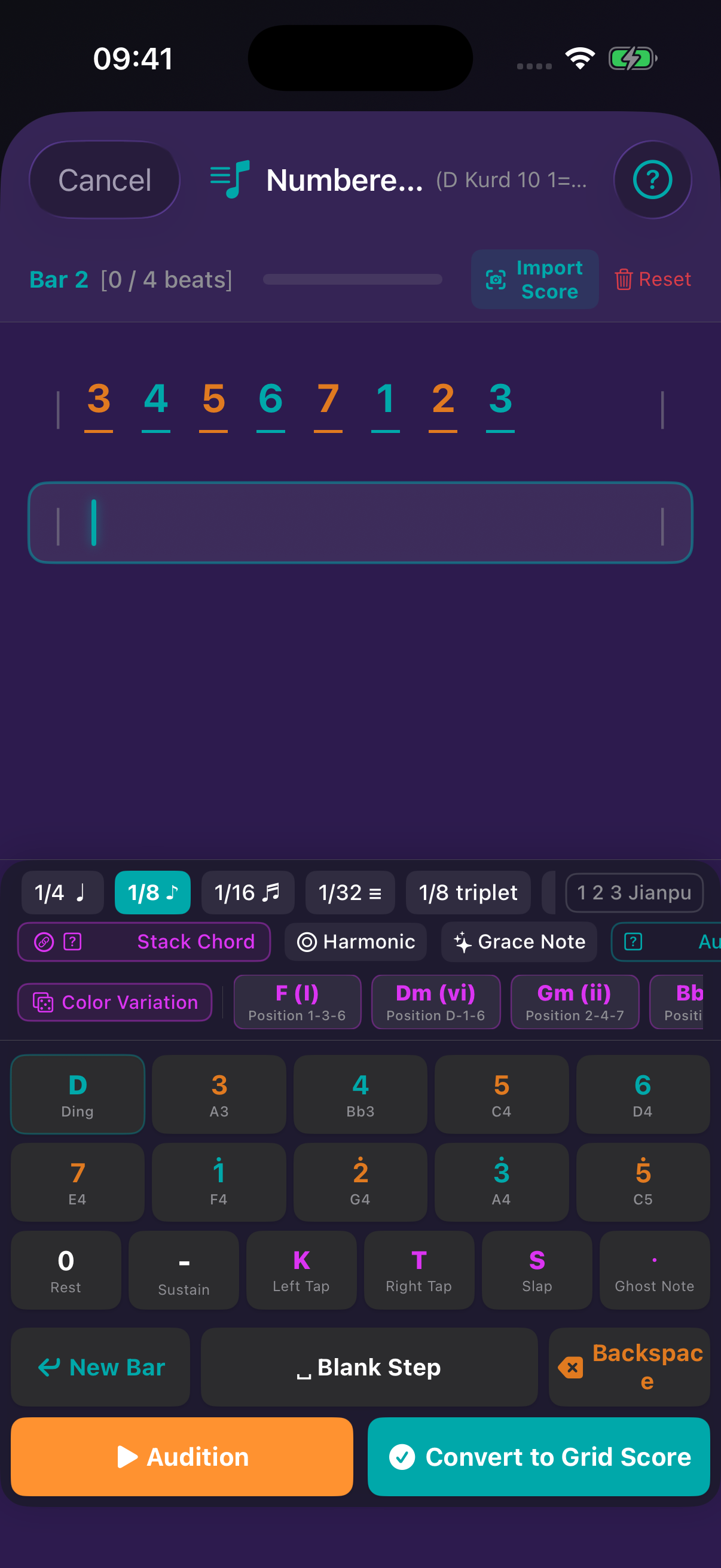
Choose the score view that answers your question
Position numbers point to places on a selected handpan layout. Jianpu numbers describe scale degrees, while pitch names such as D3 and A3 identify sounding pitch and octave. These systems are useful for different jobs, so TideTone lets you view the same idea in the form that makes it easiest to understand. Before copying a score, confirm the selected layout and key; a position number is not automatically a jianpu degree.
Write rhythm and technique, not only notes
Build a phrase by choosing note durations and inserting rests where the sound needs room. Add articulations when a playing detail matters. The editor keeps these choices in the score instead of leaving them as a memory of how the phrase should feel. Tap to audition a short passage, then adjust one value at a time so you can hear what a change actually does.
Turn a phrase into bars you can follow
Use bars to give a repeated idea a visible shape. A simple four-beat phrase might contain a note, a rest, two shorter notes, and another rest; the layout makes that timing easier to inspect. When the phrase sounds uneven, first check the durations and rests rather than adding more notes. This produces a score that remains readable when you return to it later.
Check the result in playback
Set a comfortable tempo, start with a countdown, and watch the current and next bar beside the handpan during playback. Compare what you expected from the page with what you hear, then return to the editor to correct a pitch, duration, rest, or articulation. TideTone is for iPhone and iPad. For help with a particular score, contact tidetoneapp@gmail.com. For a practical check, write one four-beat bar in each view and play it back. If the position, degree, and pitch-name readings point to different expectations, stop and confirm the selected scale before continuing. That small comparison prevents a readable-looking score from becoming a misleading practice map. Use this as a final reading test: hide one view, read the same bar in another, then reveal it and compare. A disagreement is a reason to inspect the selected layout, not a reason to force the numbers to match. That habit helps a score remain useful when you share it or revisit it months later.
Contact support
tidetoneapp@gmail.comFor help, email us with your device, app version and the steps that led to the issue. Please leave out passwords and payment details.
App Store ↗